Capture the information that matters
Use text, dates, choices, users, files and linked records. Apply validation and conditional rules so people see the questions relevant to their request.
Forms, data & workflows for Confluence
Collect structured data, give your team a clear view of the work, and automate what happens next. Build it all in Confluence with ConfiForms.
Start with a simple form. Grow into request tracking, approvals, onboarding and integrated workflows.
From collection to action
Bring data collection, reporting and automation together, without starting a separate application from scratch.
Use text, dates, choices, users, files and linked records. Apply validation and conditional rules so people see the questions relevant to their request.
Build tables, cards, lists and calendars from the same records. Choose fields, filters and layouts for each audience, and let authorized users edit records.
Use IFTTT actions to create or update Jira issues, create Confluence pages, send email and call web services when records change.
Populate fields from other forms and web services. Reuse business data and connect submissions to the systems your team already works with.
Combine Confluence permissions with form, record and field restrictions. Decide who can submit, view and maintain information.
Use the administration tools to review records, import data and export it for reporting or recovery. APIs support integrations and bulk operations.
See ConfiForms in action
Real ConfiForms Cloud interfaces, shown with fictional example data.
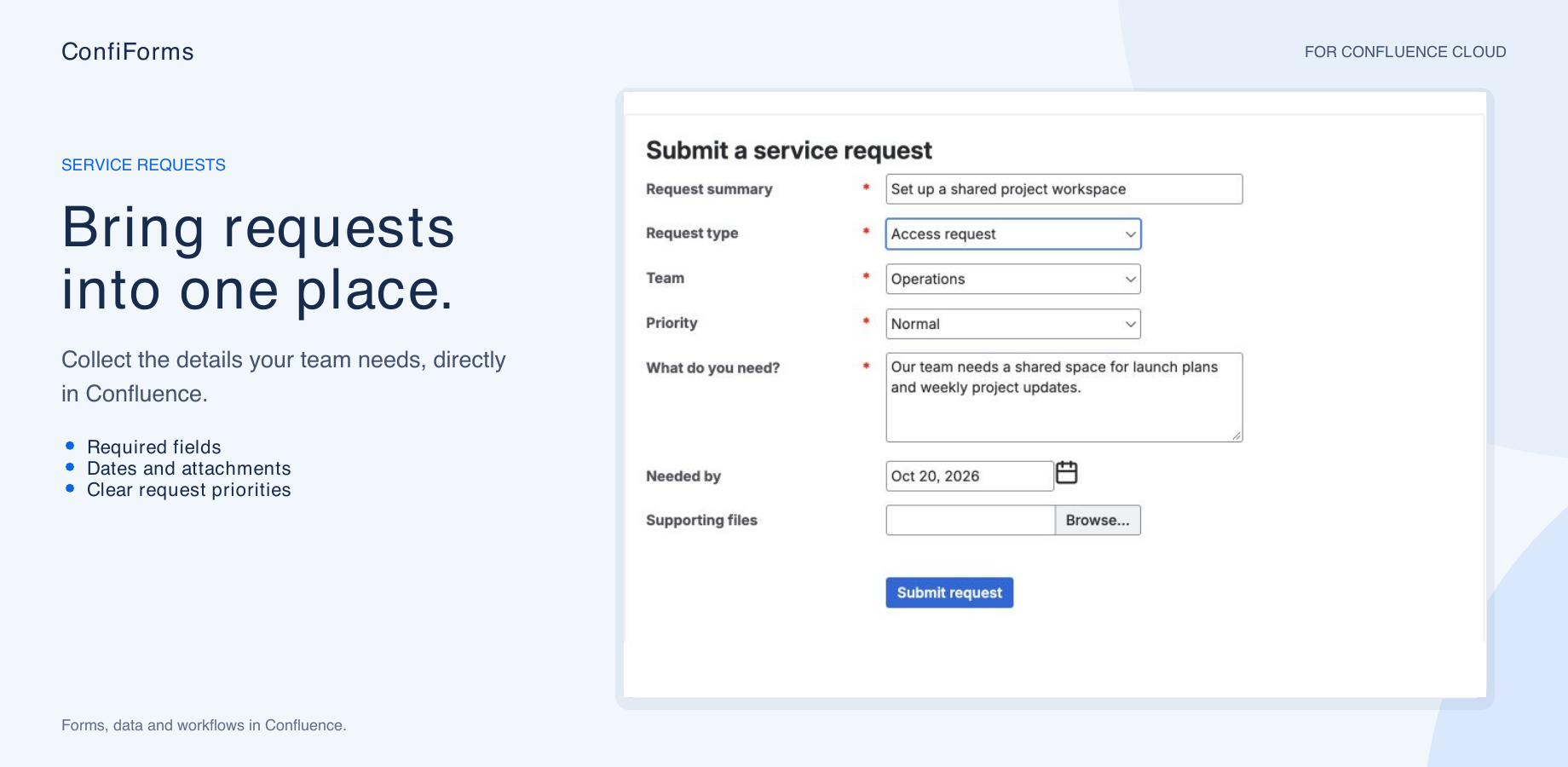
Give people a structured way to ask for access, equipment or support. Collect the details you need before the work begins.
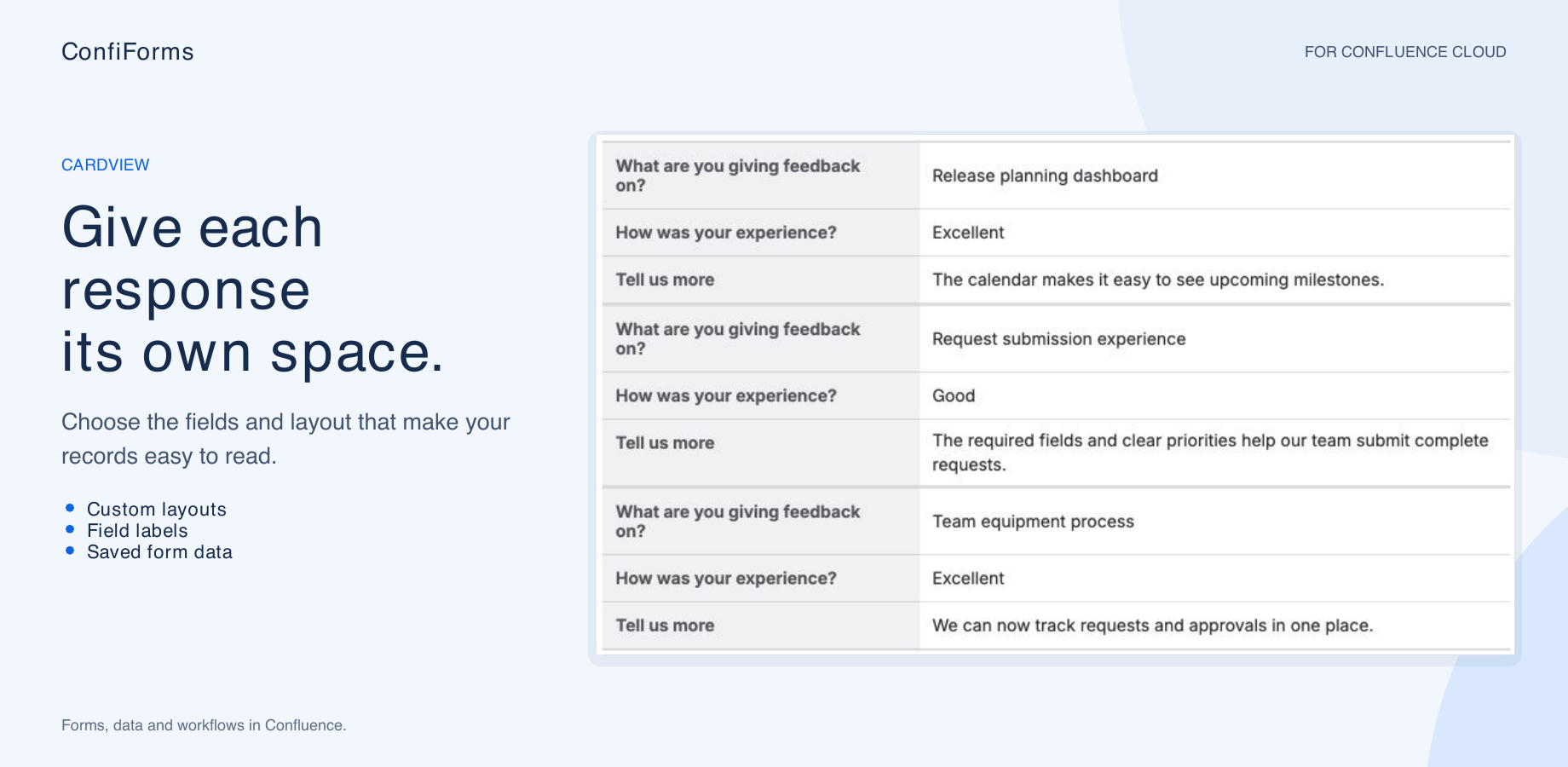
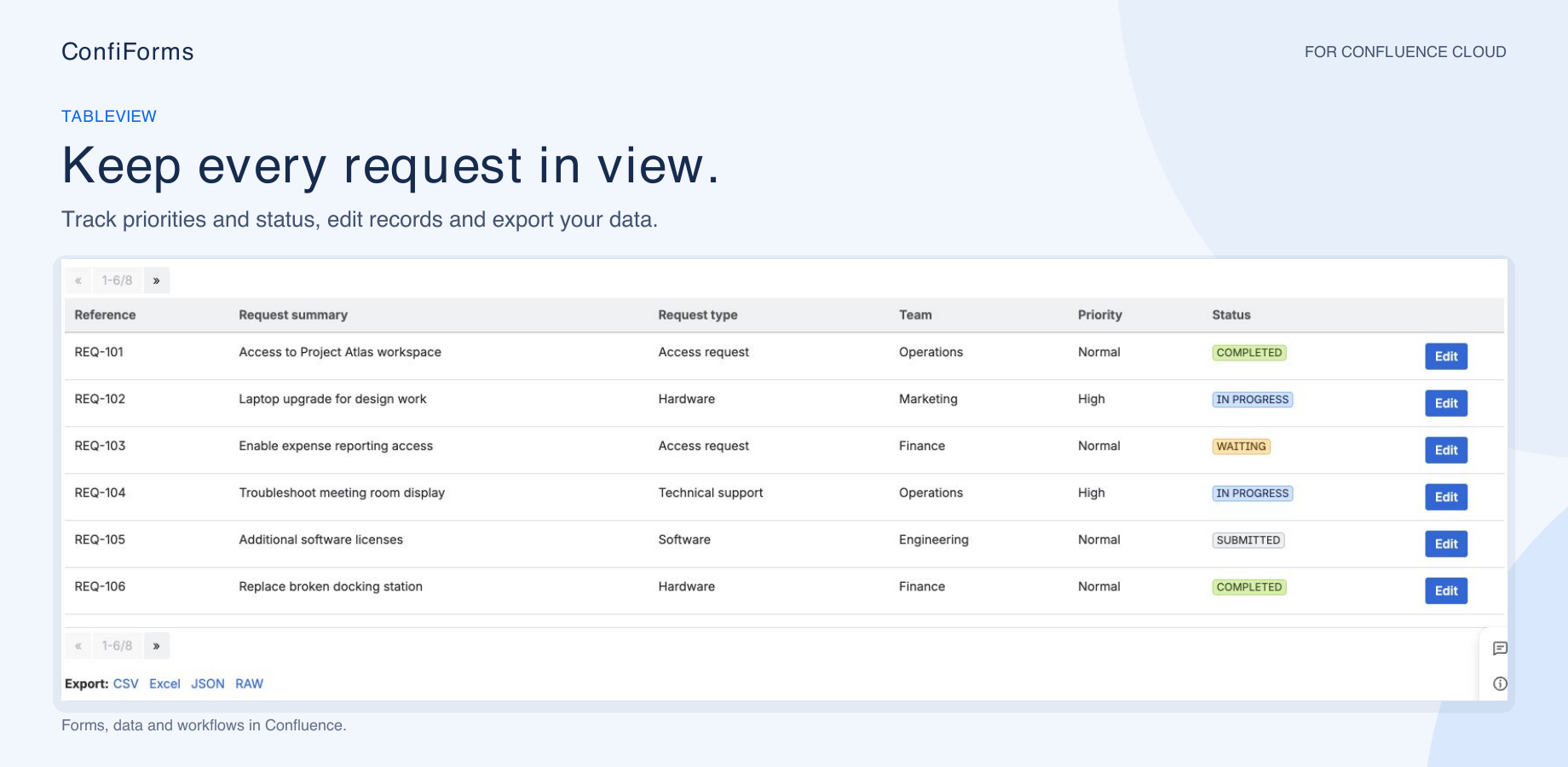
Turn feedback into readable cards, track work in a table, or build a custom layout around the fields that matter.
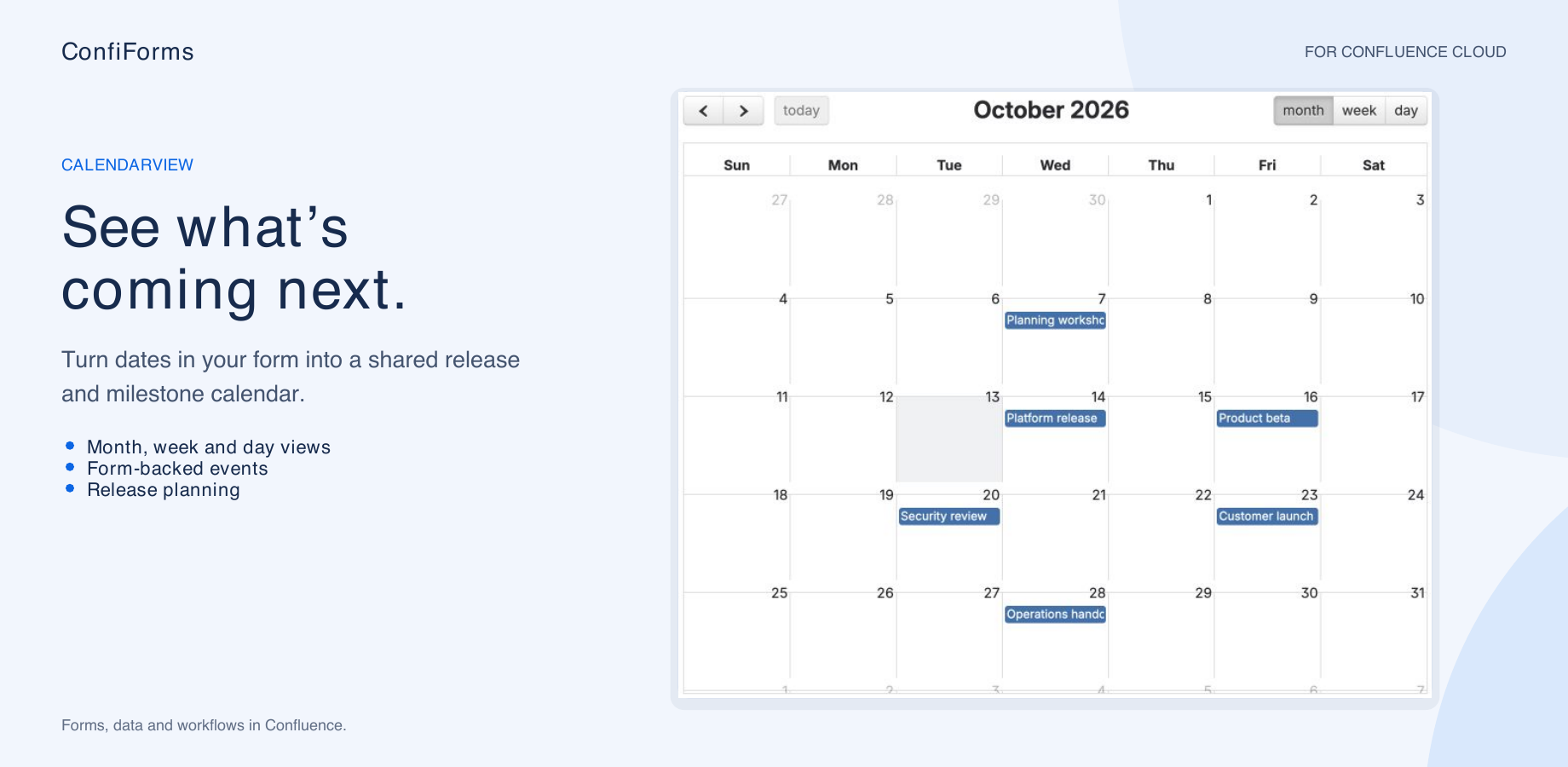
Use CalendarView to bring form dates onto a shared calendar for releases, events and team planning.
A faster first draft
Use guided setup or a conversation to get started, then refine the form in the macro editors.
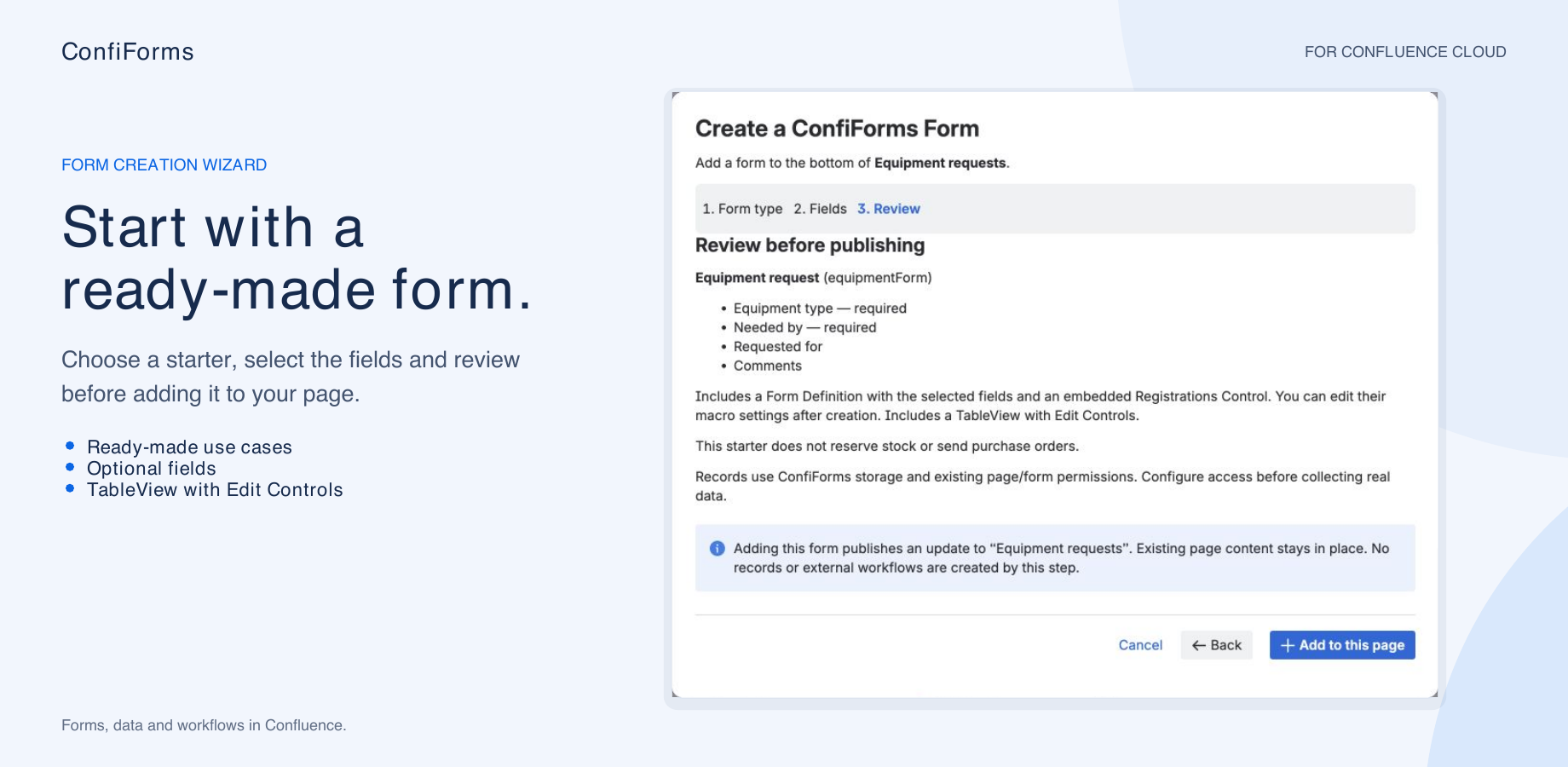
Choose a ready-made starter or build a form from a Jira project and issue type. Select the fields, review the design and add a Registration Control, with a TableView when you need one.
Explore the getting-started tutorials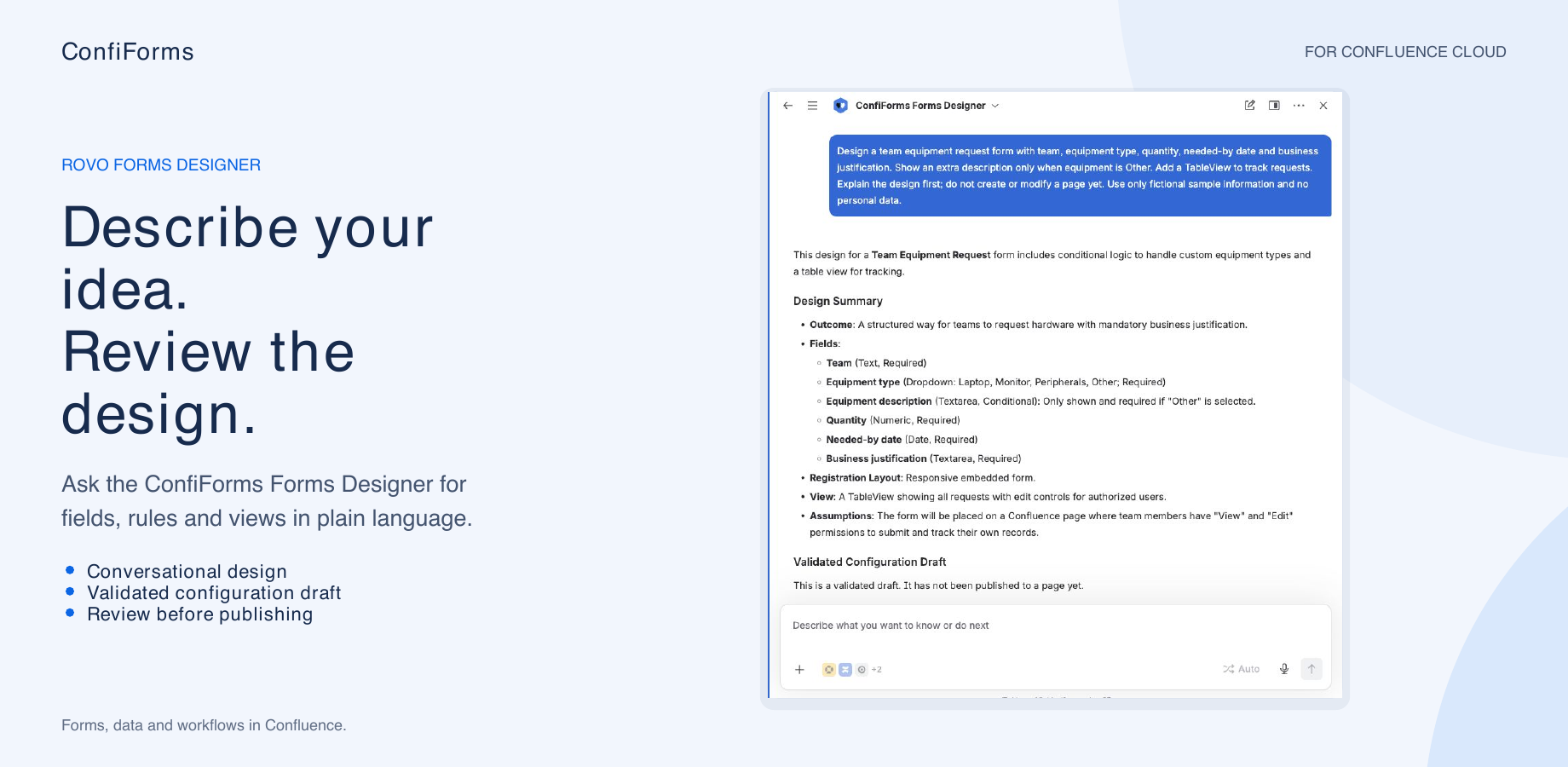
Ask the ConfiForms Forms Designer for a form in plain language. Refine its fields, conditional rules, views and workflows, then review the configuration before creating a page or importing it.
“Create an equipment request form. Ask for a description when the equipment type is Other, and add a table to track requests.”Learn how to design your first form
Connect the work
Keep the familiar ConfiForms IFTTT model: when a record is created, modified or deleted, run the actions your process needs.
Create or update issues from record values. In Cloud, the wizard and Designer can build a form from Jira fields and generate the supporting workflows.
Explore Jira integrationCreate Jira Service Management requests with the Cloud Create JSM request action, including requester and participant mapping. Your connection needs the appropriate Jira permissions.
Explore IFTTT actionsGenerate Confluence pages from submitted values, send notifications and connect external services. Apply conditions to control when each IFTTT action runs.
Explore page creationUse cases & tutorials
Find an example, understand the building blocks and adapt it to your process. Check each guide’s edition requirements.
Understand Form Definition, Registration Control, fields, views and workflows.
Start with the basicsExplore request forms, surveys, checklists and other practical starting points.
Explore form examplesCapture ratings, suggestions and comments in a consistent format.
Build a feedback formOrganize employee details, equipment requests and onboarding tasks.
Explore onboardingTurn submissions into issues and keep your process connected.
Connect to JiraBuild consistent pages from form values and reusable templates.
Automate page creationUse web-service-backed fields to look up and reuse information.
Explore web-service fieldsLet people vote on ideas and show the results to your team.
Explore voting formsCollect event registrations and let people sign up for activities.
Explore registrationsCapture announcements and organize how your team shares them.
Explore announcementsCollect equipment, merchandise or software requests in a structured form.
Explore order formsUse database-backed fields in Data Center. For Cloud, expose the data through a suitable web service.
Explore database fieldsWhat we’re building next
Explore the next set of Cloud reporting tools and their current capabilities.
ChartView and TableView Merger are being validated in selected environments. They may not be available on your site yet. Existing tables, cards, lists and calendars remain available independently.
Compare categories with bar charts, follow changes with line charts, or show proportions with pie and donut charts. Group records and calculate counts, sums and averages. PDF and Word exports show the chart data as a table.
Read the ChartView tutorialChoose multiple forms and source pages, align their fields and calculate grouped results. Present the combined data as a table, cards or transposed cards.
Read the TableView Merger tutorialChoose your edition
Choose the documentation and app version that match your Confluence environment.
Built on Atlassian Forge with regional ConfiForms backend services. Includes the Cloud Form Wizard and Rovo Forms Designer. Cloud and Data Center share the core approach, with differences in macros, integrations and page layouts.
Read the Cloud documentationRuns within your Confluence Data Center deployment. Build forms, custom layouts and workflows, including Data Center-specific integrations such as direct database-backed fields.
Read the Data Center documentationCompare Cloud and Data Center capabilities → · Plan a migration to Cloud →
Start with the right plan
Review the options for your hosting type and user tier before you begin.
See the current pricing for your Confluence user tier, billing options and trial availability on Atlassian Marketplace.
View Cloud pricingFind the subscription tier for your Data Center deployment and review the current evaluation and purchase options.
View Data Center pricingPricing, trial terms and license eligibility are maintained on Atlassian Marketplace.
Build with confidence
Practical examples, deployment guidance and clear explanations of the differences between editions.
Learn how to create forms, map Jira fields, choose a view and configure workflows.
Browse Cloud tutorialsUnderstand the Forge and backend architecture, storage choices and regional data residency.
Explore the architectureFollow the Cloud app’s migration progress and review platform differences and known limitations.
Read the migration overviewCustomer experiences
From feedback forms to business-critical workflows, customers use ConfiForms to make Confluence part of their everyday processes.
Explore customers’ experiences with the app, its flexibility and the support team on Atlassian Marketplace.
Read Marketplace reviewsTalk to the team behind the app
Use the documentation to get started, or contact us when your process needs a closer look.
Get help with a configuration, troubleshoot a problem or share a feature request.
Open the support portalTalk to us about your use case, edition differences or integration requirements.
Contact salesContact Vertuna about partnerships, consulting and custom solutions.
Contact our teamBring requests, data and workflows together in the Confluence your team already uses.